





![Alberto Beingolea: “If they insist on not giving [the powers], they are complicating life for Peru”](https://insightermedia.com/wp-content/uploads/2026/09/bb3fa9e11304ea13fe2cd333955007bc-150x150.webp "Alberto Beingolea: “If they insist on not giving [the powers], they are complicating life for Peru”")



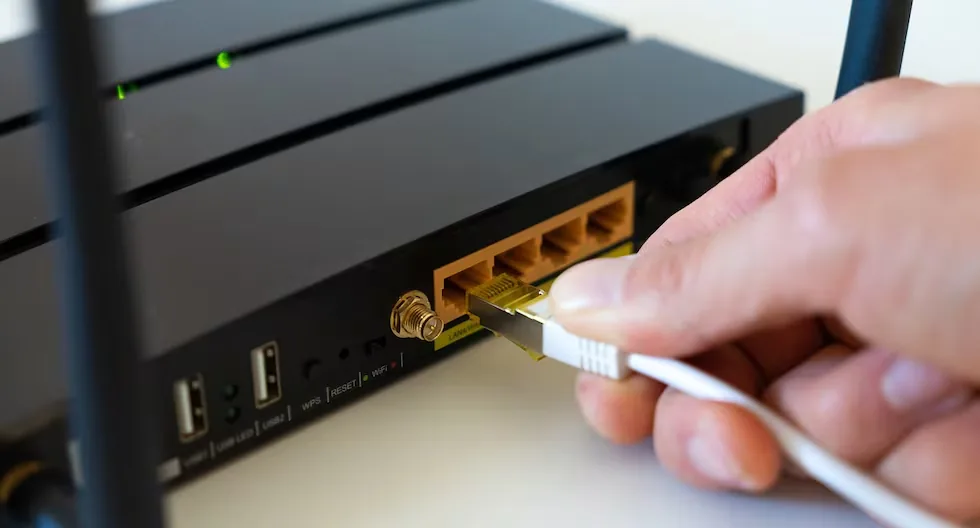
Having a stable Internet connection has become essential for carrying out everything from the most everyday tasks to work, academic, and entertainment activities within the home. The wireless signal allows connecting cell phones, computers, televisions, and other devices without the need to use cables, so any issue related to its speed can end up affecting the users’ experience. However, before thinking about contracting a more expensive plan or acquiring new equipment, there are some alternatives that can help optimize the functioning of the home network. Among them are certain practices related to the router and some elements that, according to information provided by specialized media, could contribute to improving signal distribution.
Read more Earthquake TODAY in Mexico, September 9: epicenter and magnitude of the latest tremor
TURNING OFF THE ROUTER CAN ALSO BE AN ALTERNATIVE
The WiFi connection has become an essential tool to stay connected and access different digital services. Applications like WhatsApp, social networks, entertainment platforms, and tools for working or studying remotely depend on a connection that works properly, so the router usually remains on almost all day long.
However, keeping this device running permanently is not always necessary. According to Movistar, turning off the router during certain periods can generate benefits related to energy consumption and help extend the equipment’s lifespan. One option is to disconnect it when the household members are away from home or during hours when no one uses the connection.
SECURITY IS ANOTHER FACTOR TO CONSIDER
Disconnecting the router can also represent an additional measure related to network security. While the device remains off, the wireless signal is no longer available to other devices trying to connect, which reduces the possibility of unauthorized third parties using the connection and affecting service performance.
This practice can be especially convenient when a family is away for several days on vacation or a trip. Besides preventing the device from running unnecessarily, turning it off and on again can serve as a kind of reset when certain connection difficulties arise. Regarding electromagnetic radiation, the material points out that it does not represent a significant health risk, although turning off the device allows reducing exposure during periods when it is not in use.
ANTENNAS AND REFLECTORS: TWO MENTIONED ELEMENTS
For those who telework or need a stable connection for several hours, the location and distribution of the signal within the home also become important. In this context, an article from Semana mentions two elements that could be used to improve wireless coverage: external antennas and reflectors, strategically placed in relation to the router.
Read more La Tinka of Wednesday, September 9: Link to play online and official draw time on América TV
According to the publication, external antennas are one of the most used alternatives to extend the range of a network, as they are designed to “capture and emit signals over a wider range.” Depending on their characteristics, they can fulfill different functions within a home or office.
Among the mentioned options are omnidirectional and directional antennas. The former distribute the signal around the point where they are installed and can be useful in homes or offices with several connected spaces. The latter, on the other hand, allow directing the signal toward a specific area that is farther from the router.
WHAT ARE REFLECTORS FOR?
The second element mentioned by Semana is reflectors, whose function is to favor the propagation of the signal in a specific direction. Their usefulness could be greater in spaces where there are obstacles that hinder the proper arrival of WiFi, such as certain walls or structures within a home.
“Reflectors can be especially useful in environments with thick walls or interference that affect signal quality,” Semana notes when explaining this alternative. In this way, their use aims to direct the signal toward specific areas and improve coverage in places where the connection presents greater difficulties.
These recommendations show that improving the performance of a home network does not necessarily mean starting by contracting a more expensive service. The location of the router, the periods it remains on, and how the signal is distributed are factors that can also influence the browsing experience. Before making an additional expense, it is advisable to review these aspects and determine which could be limiting the WiFi performance at home.
Read more Earthquake in Venezuela today, Wednesday, September 9: check the latest tremors